The Dock comes with a Downloads stack where you can easily access items you download from the Internet, receive as attachments, or accept using AirDrop.

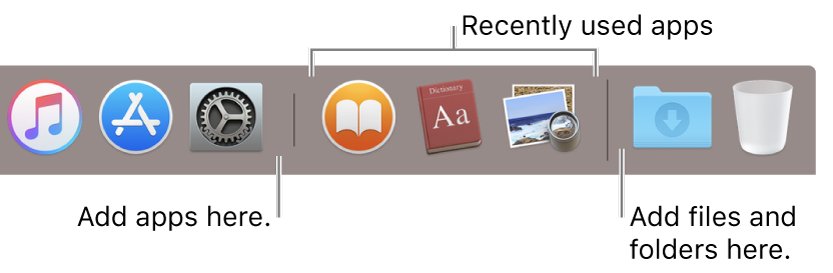
You can add files and folders to the Dock for quick access, and even display them as a stack. Your Mac creates an alias to the file or folder.
On your Mac, do any of the following:
-
Add files and folders: Drag and drop a folder to the right of the separator line (after recently used apps, if shown).
Open or close a file or folder: Click it. When a folder is open, double-click any item to open it. To see a folder in the Finder, click Open in Finder.
Change how folders look: Control-click the folder, then choose how the items in it are sorted, whether to show it in the Dock as a folder or a stack, and how to view its content (such as in a grid or fan).
